
Reverb remover
Take the reverb of a room off speech: a room on our server's speech model, a dry file or music in your browser.
- Runs on our server. Your upload is deleted within 24 hours.
- Space plays AB switch versions
Less room, next to your original.
WAV · AIFF · FLAC · MP3 · M4A · OGG · up to 15 minutes and 600 MB
A room is uploaded to Replicate after you confirm, deleted in 24 h; echoes never are.
For speech in a room, not reverb in a mix.
How it works
- What to expect
- Our speech model takes most of a room off a voice; reverb baked into a music mix will not come out clean.
- Your file
- When the file reads as a room, the speech goes to our processing partner (Replicate) to be cleaned and is deleted there within 24 hours. It counts as one cloud run, and the same file again within 24 hours is free. A single clear repeat, a dry recording and music are processed in your browser and never uploaded.
- How it works
- The page first reads the file: the room's decay (T60, the time a sound takes to fall 60 dB), whether one repeat stands out, and whether it is speech or music. A room goes to our server's speech model, which keeps the voice and drops the reflections: on a voice in a 0.9-second room it went from −5.1 to +6.3 dB SI-SDR against the dry recording and changed no words, and across nine synthetic rooms of 0.6 to 1.4 seconds (three voices) it averaged 10.0 dB against 5.3 for the on-device remover. Before its result is used, the page checks it for deleted speech. A dry recording, a single repeat and music stay in your browser, where the tool shortens the tail and matches the level back; on music notes are protected and the tail falls by 3 dB at most.
What the reverb remover changes
Reduce diffuse room decay
A reverberant room spreads the end of each sound across the next one. Unlike a single repeated word, the tail is a dense collection of reflections. The reverb remover reads the recording and can use a cloud speech model when the file contains room-like spoken audio. Dry recordings and music follow a local, conservative route instead. This avoids treating every sustained sound as unwanted ambience. Room treatment is most useful when the goal is clearer dialogue, not a promise that an untreated room will become a perfect studio booth. Listen to the transition from a phrase into the following pause to judge the actual change.

Keep voice quality in the comparison
The reverb remover shows the room's decay before and after, giving context for the audible result. A shorter measured tail can make speech easier to understand, but it should not come at the expense of a complete word ending. Compare s sounds, soft consonants and breaths alongside the room measurements. The strength control can bring some original room back when the treated voice feels too isolated. Use the numbers to support the listening decision. Early reflections, distant speech and strong background sounds may remain even when the longer tail has improved substantially. Keep your expectations tied to the source recording.

Why songs receive gentle treatment
A musical note has its own decay, and a finished mix may deliberately place instruments inside a shared reverberant space. The reverb remover cannot reliably label those tails as unwanted room sound. On music, the local path protects notes and limits the amount of tail reduction rather than applying the speech model indiscriminately. The effect can therefore be small. Do not expect processing to create original dry multitracks from a mastered song. If you need control of one instrument, a separation tool may help with access to that part, but the reverb already attached to it can still follow the separated sound.
Where room reduction can help

Spoken videos
A presenter recorded in a tiled or sparsely furnished room can sound distant even at a reasonable volume. Try the reverb remover on a section containing both short sentences and a longer continuous explanation. The pauses reveal decay; the continuous speech reveals whether treatment keeps syllables intact. Judge the result under the actual picture, because a little room character may fit the visible space. This page handles an existing recording, while microphone placement and soft furnishings remain useful choices for a future take. Keep the source soundtrack and check that a processed replacement starts and ends at the same points in your editing application.
Lectures in changing rooms
A lecturer may move around a room, changing the balance between direct speech and reflections. The reverb remover should be checked in more than one position, especially when the speaker turns away from the microphone. A cloud speech treatment can reduce a room's tail, but it cannot make a very distant sentence equivalent to a close microphone capture. Compare a quiet remark, an emphasized phrase and an audience interruption. Keep treatment where it helps the explanation remain comfortable to follow. If background noise is the dominant issue rather than room decay, compare a noise-specific tool instead of treating every blurred recording as a reverberation problem.
Home narration
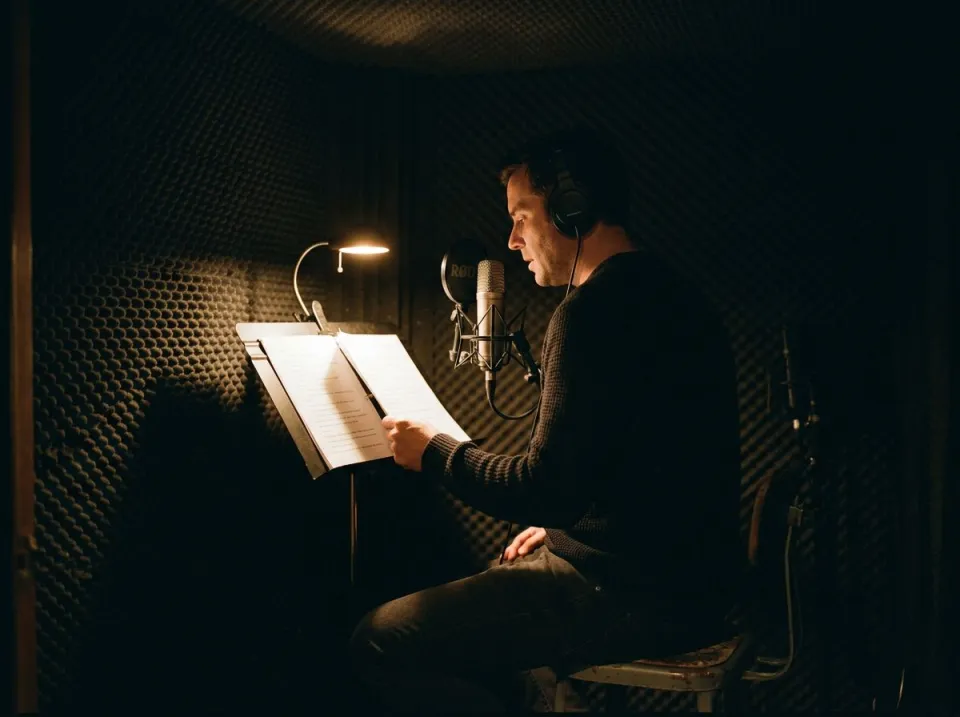
A home narration may have a clear direct voice followed by a short room wash. The reverb remover offers a way to reduce that wash while preserving a natural performance. Check edited joins and the silence between separate takes: uneven room tone can become more apparent once the tail is reduced. If the original is already fairly dry, there may be little useful work to do. Keep processing modest and compare the treated voice with neighboring material. Do not automatically combine maximum room reduction with heavy noise suppression; each stage can change the quiet texture around words and make an otherwise convincing narration sound overworked.
From room reading to final comparison
Inspect the processing route
Choose the best available source file and let the reverb remover finish its reading. The file's content affects the route: speech in a room may use the cloud model, while music, a dry recording or a discrete repeat can stay in the browser. Review the confirmation and quota before a server run. If the noise is clearly a repeated copy of a word, the echo page offers a more specific repeat check. Choose this workflow because a diffuse tail is making the recording difficult to hear, not simply because any recording sounds imperfect. Save an untouched source before comparing different treatment choices.
Listen through phrases and pauses
Replay a phrase and its following pause, then switch between the original and the reverb remover result while keeping the listening level consistent. A useful change makes overlapping syllables easier to follow and leaves believable endings. Watch the decay information, but also listen for hollow coloration or a voice that becomes unnaturally isolated. The result permits a strength adjustment and engine comparison after processing. Bring back some original room when that sounds more natural. On music, a modest change is expected because the tool protects note tails; pushing for a dramatic difference is not a safe substitute for a dry source recording.
Check the room across edits
Download the version you selected and audition it inside the actual podcast, lesson or video edit. The reverb remover changes the relationship between voice and room, which may make adjacent untreated clips sound different. Compare across those boundaries before normalizing levels or adding a music bed. Keep both the original and processed copies so you can revise the room balance later. A reverb remover does not remove the need to check cuts, synchronization or final loudness. If a remaining background bed is distracting after the room improves, evaluate that separately; repeatedly removing reverb from an already processed voice can add artifacts without revealing any additional original detail.
Common questions
Can I create a completely dry recording?
It can reduce room reflections on speech, sometimes substantially, but it does not rebuild a perfect studio take. Early reflections and difficult overlaps can remain. Compare full words and phrases, and keep some original ambience if an extremely dry result sounds less believable in the project.
Can I take reverb off a song?
Only modestly. On music, the local path protects notes because a note's own decay can resemble a room tail; the local reduction is limited to at most about 3 dB. It is not a way to recover separate dry tracks from a finished reverberant mix.
When is my recording uploaded?
Only the cloud route uploads. The reverb remover sends room-like speech to Replicate after confirmation, and the upload is deleted there within 24 hours. Dry recordings, a single repeat and music can use a private browser worker. After a result, you can compare the available engines.
How is a reverb remover different from an echo remover?
This tool focuses on the diffuse tail created by many room reflections. The echo page also searches for a distinct repeated copy up to 500 milliseconds late. The pages share hybrid room processing, so choose based on whether you hear a wash of decay or an identifiable repeat.
Why does a dry file change so little?
A relatively dry recording gives the reverb remover little room sound to reduce. That is preferable to forcing an effect onto useful speech. If the voice is still hard to hear, check for steady noise, low recording level, clipping or weak microphone tone before assuming more room treatment is needed.
How much room should I leave?
Use enough reduction to make speech clearer without shortening word endings or making the room disappear unnaturally. The reverb remover can mix original ambience back through its strength control. Compare at a consistent level and check edit boundaries as well as the most reverberant pause.
Can a distant microphone recording be fixed?
It can improve the balance of speech and room, but a distant microphone may also capture little direct detail and a lot of background sound. Treatment cannot guarantee a close-microphone result. Check quiet phrases and overlapping sounds, and retain the source for alternative repair choices.
Should I run the reverb remover more than once?
Compare alternative routes and strength settings from the original before stacking passes. Another reverb remover pass can add coloration or alter endings while leaving the hardest reflections intact. Keep the first source and choose the least processed result that makes the dialogue comfortable to follow in its final context.