
Stem splitter
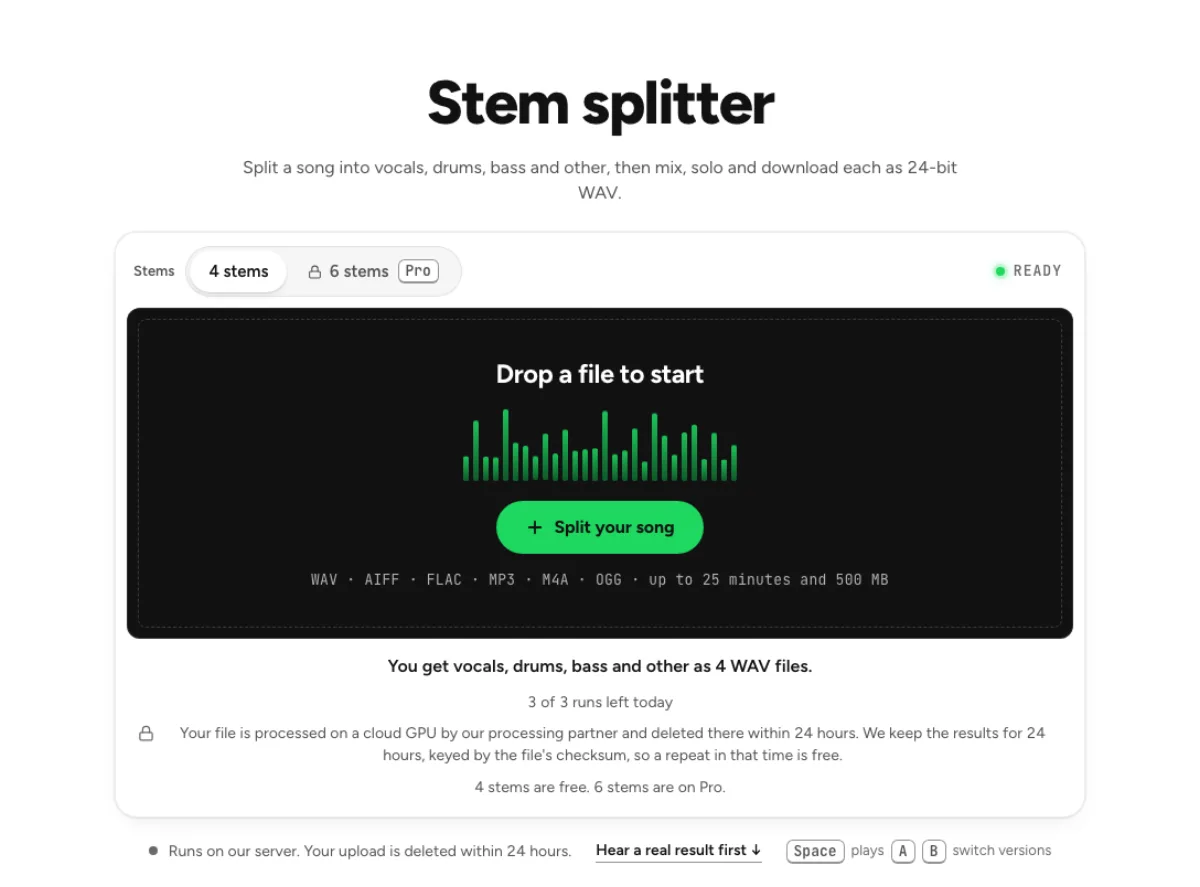
Split a song into vocals, drums, bass and other, then mix, solo and download each as 24-bit WAV.
- Runs on our server. Your upload is deleted within 24 hours.
- Space plays AB switch versions
You get vocals, drums, bass and other as 4 WAV files.
WAV · AIFF · FLAC · MP3 · M4A · OGG · up to 25 minutes and 500 MB
Checking your runs
Your file is processed on a cloud GPU by our processing partner and deleted there within 24 hours. We keep the results for 24 hours, keyed by the file's checksum, so a repeat in that time is free.
4 stems are free. 6 stems are on Pro.
How it works
- What it does
- Split a song into vocals, drums, bass and other, or six stems with guitar and piano. Mix, solo and download each one as 24-bit WAV.
- Model
- A separation model on a cloud GPU splits the song; two stems are the average of a two-stem and a six-stem pass. Measured on six songs with every part known (SDR, higher is better; the untouched song scores −3 to −5 dB): vocals 15.3 dB and instrumental 18.5 dB on average; drums 14.6, bass 13.3, guitar 11.5 dB; piano 4.7 dB as a quiet layer, 12 to 17 dB when it leads. Nothing is clipped, and the files keep your sample rate. Model names and licences
- Output
- One 24-bit WAV per stem at your file's own sample rate. A stem that peaks past full scale (a loud master) comes as 32-bit float instead, so nothing is clipped. Vocals and instrumental add back up to your file at −108 to −114 dB on our test songs; the song without a stem is made from the others and adds back up with it exactly.
- Time
- About 15 s of GPU time for a 45-s excerpt at standard quality, plus 1 to 3 minutes the first time while the model starts.
- Your file
- Your file is processed on a cloud GPU by our processing partner and deleted there within 24 hours. We keep the results for 24 hours, keyed by the file's checksum, so a repeat in that time is free.
Split vocals, drums, bass and other
4 or 6 stems
4 stems gives vocals, drums, bass and other, free. 6 stems adds guitar and piano on Pro, with piano the weakest of the six. Every stem arrives as a 24-bit WAV. The stem splitter is useful when a two-file vocal split is too broad. Four stems divide the mix into vocals, drums, bass and other instruments. Six stems expose guitar and piano separately on a paid plan. Choose the smallest set that answers your musical question, because more files do not automatically mean cleaner isolation.

Browser mixer
Each stem gets mute, solo, volume from −60 to +12 dB, pan and a level meter. Drag across a waveform to set a loop, and press L to turn looping on or off. Solo a stem to find the part, then listen to it with one neighbouring stem before making a mix decision. A cymbal trace that sounds distracting on its own may disappear in context. Conversely, a missing bass attack can become obvious only when the drums return. Evaluate both separation and the musical balance.

Six stems on Pro
Six stems add guitar and piano from the same model. Four stems are free; six are on Pro. A six-stem arrangement lets you lower piano or guitar without removing all the other accompaniment. The piano stem is the weakest part of this model, so check soft chords and sustained tails carefully. If the piano sounds incomplete, retain more of the original balance rather than compensating with a large boost.
Who splits songs into stems
Session players
Solo one part of a song and loop four bars while you learn it, with the other stems muted or low. Session players can mute the instrument they are replacing and keep the rest of the band's timing. Use a short difficult section first, then rehearse against a longer passage. A separated backing retains the original performance's tempo changes; it is not a click track and does not quantize the musicians.
Remix producers
Download each stem as its own WAV, or all of them in one zip, and load them into a DAW to rebuild the track. A remix producer can compare the groove with and without bass, rearrange vocal entrances or create a sparse breakdown. Import stems together at the same starting point in a DAW. Keep unprocessed copies, because EQ, stretching and aggressive compression can make small separation artefacts more noticeable later.

Music students
Mute everything except bass and drums to hear how a rhythm section locks together, then bring the other stems back one at a time. Students can study what the drummer and bassist do at the same bar instead of guessing from the full mix. Loop a transition, listen to the two parts together and write down their accents. The stem splitter supports listening analysis; it does not supply a verified score or identify every played note.
How to split a song into stems
Set stems and quality
Choose 4 stems or 6 stems above the upload box. A click on a Pro option tells you what your plan includes. Decide whether you need four stems or the paid six-stem option before uploading. A drum or bass practice backing normally needs only four. A request specifically about guitar or piano needs six. Read the current plan gate and remaining allowance rather than assuming that an earlier free result includes every configuration.
Upload the song
Whole albums will not fit, since one file tops out at 25 minutes and 500 MB. The whole file is sent to Replicate for separation and erased there within 24 hours. Upload one supported audio file and let the separation complete before opening several copies of the page. Large decoded stems also use browser memory after processing, so close unrelated heavy audio projects if playback struggles. Save your outputs before switching devices; an online result is not a permanent project backup.
Mix or export
Click Download all (zip) for every stem, or set the faders and export the mix as WAV or FLAC. The Karaoke, Acapella and Instrumental buttons set the mutes for you. Begin with the original stem gains, then mute or lower one part at a time. Download individual files when you will mix elsewhere, or export a custom balance when you need a ready-made backing. After a gain increase, check output peaks and the export notice before sending the file to another player.
Questions about splitting stems
How many stems can I split a song into?
4 on the free tiers: vocals, drums, bass and other. 6 on Pro, which adds guitar and piano. Other is a musical group, not an error bin: in four-stem mode it includes instruments that are not assigned to vocals, drums or bass. A larger number of outputs changes grouping rather than guaranteeing perfect source recovery.
How much does 6-stem separation cost?
$11.99 a month or $79.99 a year on Pro, with 80 cloud runs a month. 4 stems stay within the free allowance of 3 runs a day, or 10 a month signed in. Check the current pricing page before subscribing, especially if the task is a one-off practice backing. The free four-stem configuration is often enough for drum or bass work.
Will the stems add back up to the original song?
The stems at their original gains reconstruct an approximation of the source mix, with residual error from the separation model. Keep them aligned and begin at the original balance when checking that reconstruction. WAV retains floating-point headroom where required; other delivery formats can need a level reduction when a file exceeds their range. Use your ear as well as the sum test. A guitar can leak into another stem while the combined mix still sounds close to the source, so reconstruction alone does not establish an ideal split.
What should I check after using this stem splitter workflow?
Listen to individual instrument stems and remaining stems, rather than judging just one file. The difficult cases include shared frequencies, dense effects and the less reliable piano part. Compare an exposed passage, a busy section and the tail of a sustained sound at the same musical moment. A result can work for practice while being too rough for an isolated production use. Choose based on the sound you will actually deliver, and keep the original nearby when a note, word or effect is uncertain.
What source recording should I use?
Start with the cleanest version you already have and avoid repeated lossy conversions. Saving a damaged recording as WAV does not restore the detail it lost. Excessive EQ, clipping or added reverb before separation can make the task harder. Keep the original and work on a copy so later comparisons remain meaningful. For arrangement study, compare the chorus with the verse at the same overall playback level. Extra loudness can make an unchanged instrument seem more prominent. Note whether the change comes from a new part, a different performance, or simply a fader move; the stems make that distinction easier to hear.
How do file length, plan access and cloud runs work?
The cloud processing limit is up to 25 minutes per file, with file size and mode access also checked before a run starts. Piano and guitar isolation require the paid six-stem option. The current catalog allows 3 runs daily anonymously, 10 monthly for signed-in free users, 80 monthly on Pro and 150 on Pro+. Each new file and processing configuration uses the relevant allowance; an identical result can be free while cached. Check the current pricing and the uploader before processing a batch. Downloads are part of the result, not a separate per-file unlock.
Is this separation performed entirely on my device?
No. This is cloud separation: audio is uploaded for processing on external infrastructure. Browser playback, comparison and some exports happen locally after the results arrive, which does not make the separation itself offline. Check the Privacy Policy before submitting sensitive material, and use an appropriate local workflow if audio must stay entirely on your device. Download useful outputs while available; temporary results and cached repeats are not a permanent archive.
Can I publish or share the separated result?
Separation changes the balance of a recording, not its ownership or the permissions attached to it. Use material you own or are otherwise entitled to adapt, and arrange the permissions needed for your intended publication. A separated result does not include a licence to a commercial song, performance or soundtrack. For your own project, keep the source, an untouched separation and a separate delivery copy. Listen again in the complete mix before sharing; an acceptable rehearsal reference may reveal artefacts when exposed alone.
Learn how
Guides and tutorials that use this tool, with real screens and real numbers.
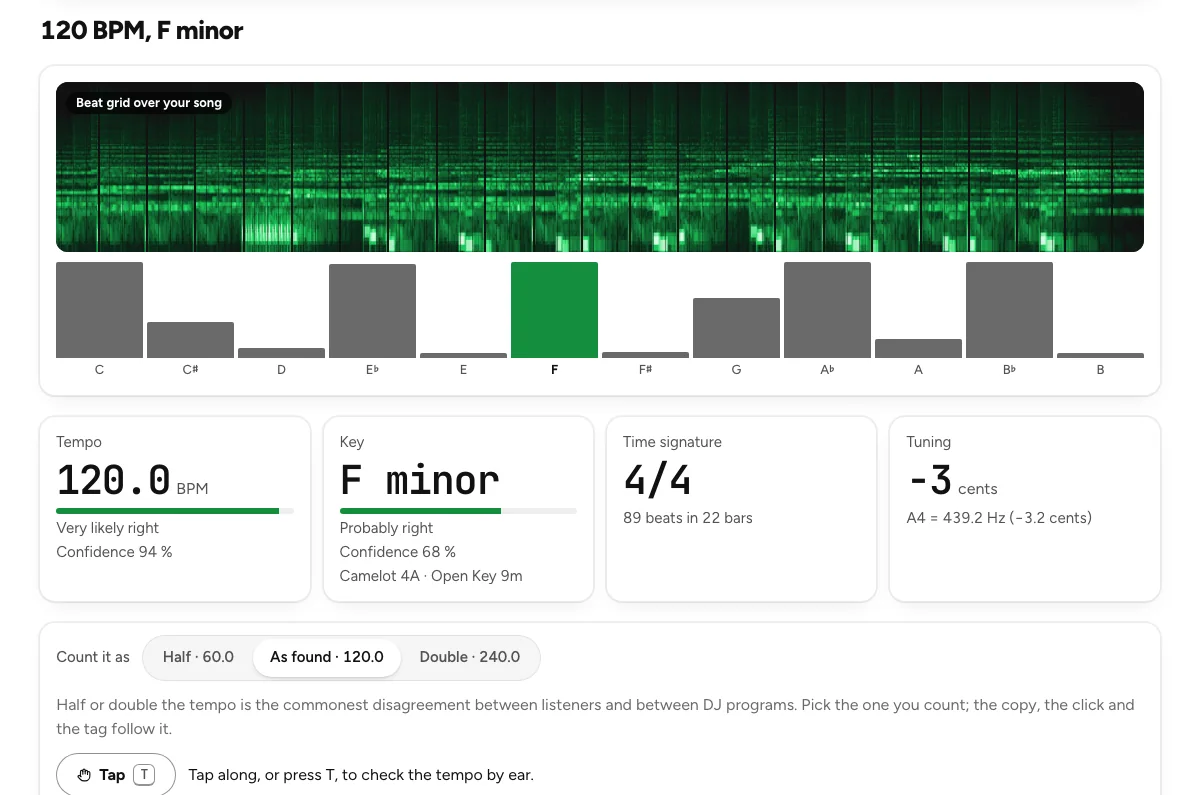 Find a song's key and BPMFour steps on the key and BPM finder: drop the track, read the four tiles, check the beat with a click, copy the result. With how far to trust each answer.
- How to Split a Song into Vocals, Drums and BassWhat four and six stems are, how clean each stem comes out on our measurements, and how to mix, loop and export them without leaving the browser.