Slowed + reverb
Make the slowed and reverb edit with speed, pitch and room in three controls.
- Runs in your browser. Nothing is uploaded.
- Space plays AB switch versions
You get the slowed and reverb edit, ready to play and download.
WAV · AIFF · FLAC · MP3 · M4A · OGG · up to 15 minutes and 600 MB
Runs in your browser. Nothing is uploaded.
How it works
- What it does
- The slowed and reverb edit: speed, pitch and room in three controls, rendered in your browser.
- How it works
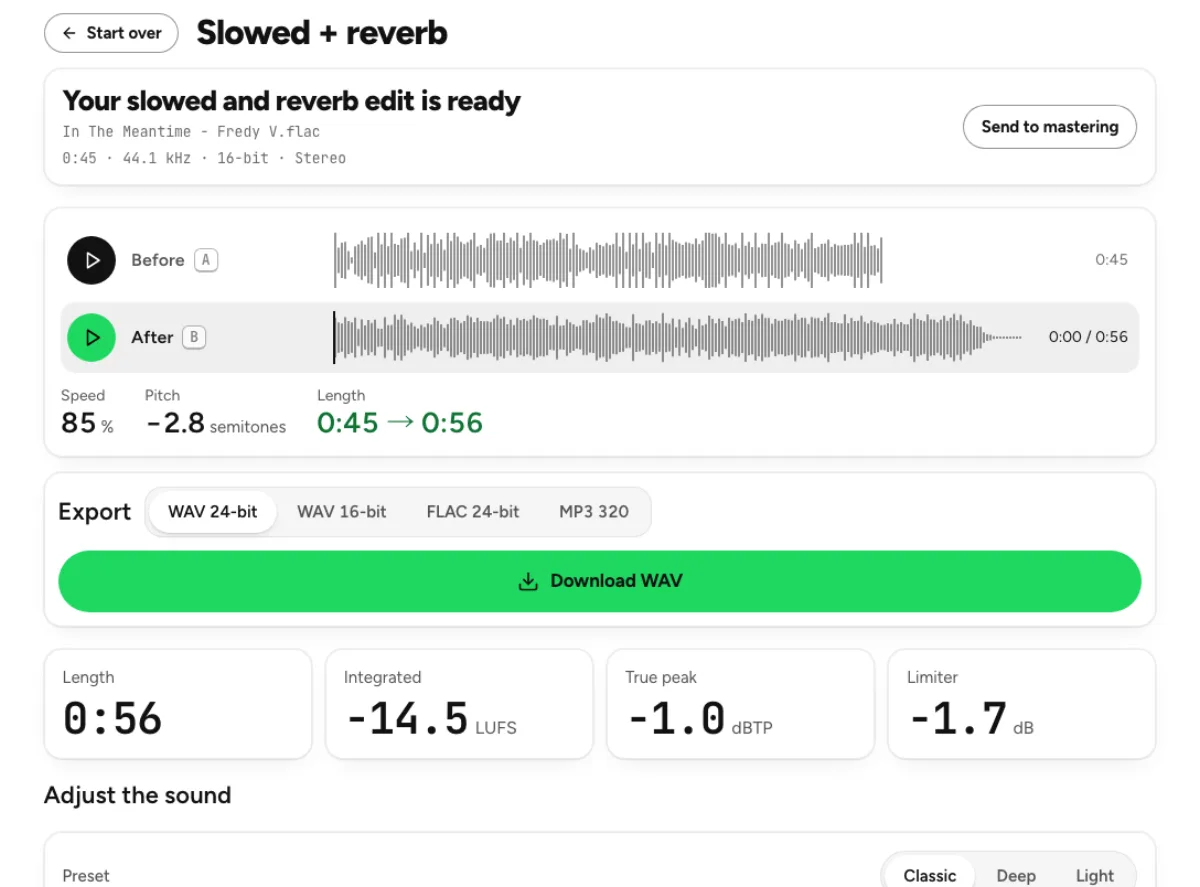
- Speed is a band-limited resample, so pitch and tempo move together (0.85 speed is −2.8 semitones); with Keep the pitch on, Signalsmith Stretch slows the tempo alone. The room is an 8-line feedback delay network with Householder mixing, damping and slow modulation; decay is the RT60 in seconds. The edit is brought back to the input's integrated loudness (the room adds energy), then peaks are limited to −1 dBTP before export.
Shape the speed and the room separately
Presets for different amounts of change
Classic, Deep and Light combine a speed setting with a room character so you can hear a direction before fine-tuning it. Classic begins at 85 percent speed, while Deep goes further and Light stays nearer the original. These are starting points rather than a definition of how every slowed edit must sound. Try the chorus and a sparse section before choosing one. A dense arrangement can become blurred when the same long decay that flatters an exposed vocal is applied to every instrument.
Lower pitch or keep the original key
The classic slowed sound links pitch and speed: slowing the playback also lowers the notes. The current page also offers Keep the pitch, which uses time-stretch processing to slow tempo while retaining the nominal key. Decide which effect you want before judging the render. A darker vocal from linked playback is a different creative choice from a slower rehearsal version in the original key. Both transform the existing recording rather than creating a new performance or recovering separate instruments from the mix.
A room you can adjust
Reverb amount controls how much room joins the dry recording, room size changes its character and decay sets how long the sound falls away. A long tail can support an atmospheric ending but cover rhythmic detail or consonants. Use small changes and compare at matched loudness, because added reverberation also adds energy. The tool returns the render toward the source’s integrated level and applies peak handling before export. That controls level, not the artistic density of the room you chose. Check the ending as carefully as the chorus. Reverberant energy and the slower musical pace can change the impression of a finish, especially when the source already ends abruptly. Listen to the saved file from a few seconds before its end and decide whether it closes naturally in the intended context. Do not assume a preset automatically creates an editorially finished outro. The available controls shape sound; choosing a convincing excerpt or arranging a final fade remains a separate listening decision.
Who makes slowed and reverb edits
Creators preparing a deliberate edit
Choose a recording you have permission to use, then decide what the slower version should achieve: a different emotional pace, space around a hook or a particular video mood. An edit is more convincing when its timing supports the scene rather than simply applying the strongest preset. Check the new duration against the video timeline, including any ending you intend to keep. Processing a track does not establish permission to publish it, so resolve that separately from the sound-design choices.
Listeners exploring another perspective
A slower version can reveal phrasing, harmony or texture that is less obvious at the original speed. Start with Light if you want a modest change, then compare the linked and pitch-preserving options. More reverb is not always more immersive; a small amount may leave the melody clearer. Listen at a comfortable volume and return to the source after a short break. Keeping both files makes it easy to enjoy an alternative without replacing the original recording in your collection.
Producers testing a demo’s mood
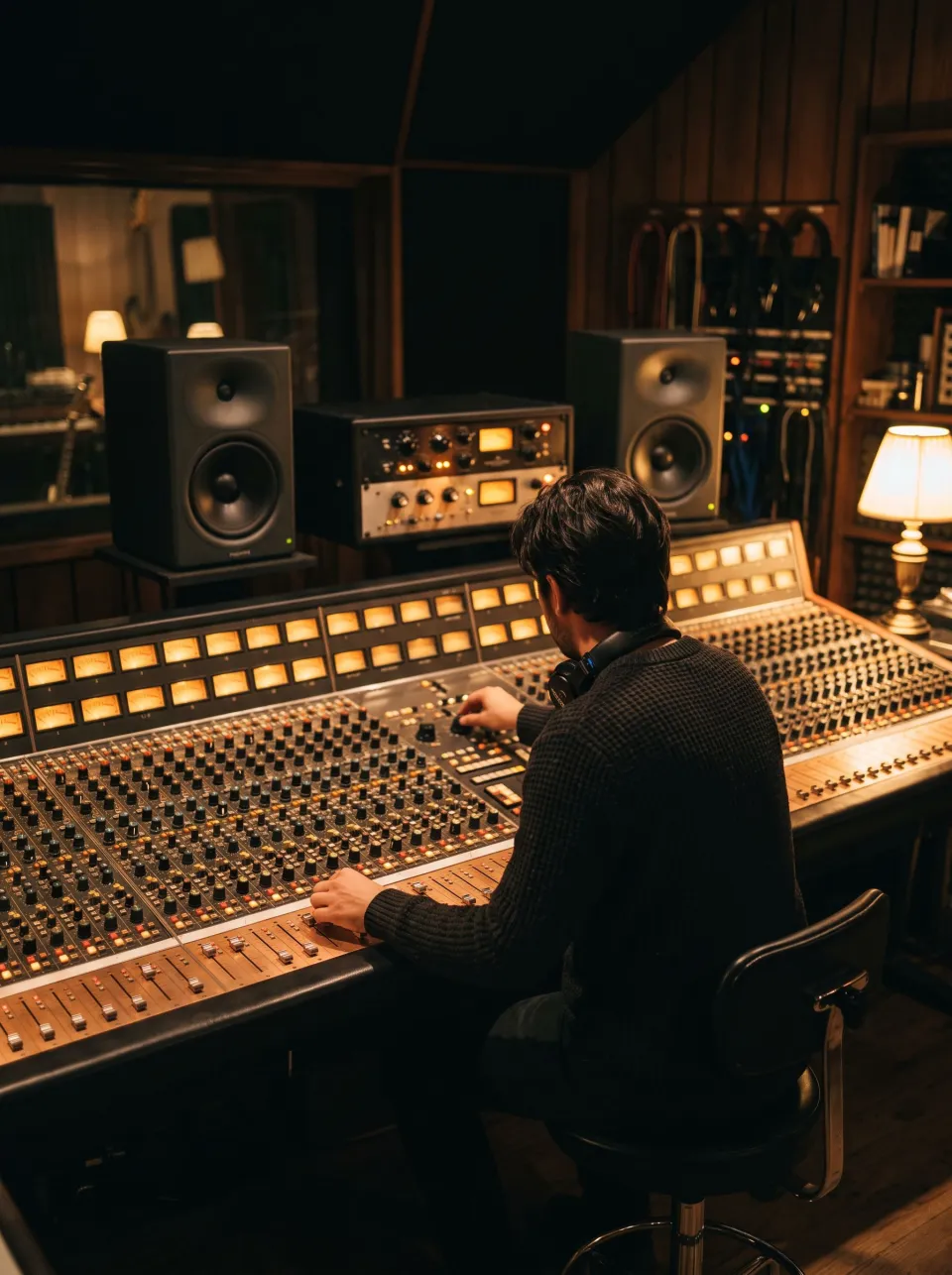
A quick slowed render can help decide whether a song idea wants a different pace or a more spacious production. Treat the result as a reference for an arrangement decision. If a lower linked pitch gives the voice a useful weight, test how the song would work in that key before rebuilding the session. If the main benefit is only the room, preserve more of the original speed. A combined effect can suggest a direction without being the final production method.
How to create and compare a slowed edit
Load a suitable source
Choose a supported recording within the 15-minute and 600 MB render limits shown by the tool. The file is decoded locally and the initial preset provides a starting render. Check the source’s own ambience: a recording with an already large room or heavy reverb can become indistinct when another room is added. A cleaner dry source gives more control. Use the demo first when you want to understand the presets, comparison playback and export options without choosing a personal track.
Set speed before refining the room
Move Speed and decide whether Keep the pitch should be enabled. Listen to the musical pace first, then adjust reverb amount, room size and decay. Too many simultaneous changes make it difficult to know what improved the edit. The display reports the linked pitch shift when appropriate and the result shows its changed length. Let a render complete before judging it. Controls describe the next version; they are not evidence that the downloaded file has already been updated.
Compare several passages and save
Switch between original and processed audio at matched level. Check a quiet entrance, a busy chorus and the ending so the added decay does not obscure important events. Reduce the wet amount or shorten decay when the voice loses definition. Export a supported lossless or MP3 version and audition the actual saved file before using it in a video or session. Keep the unprocessed recording separately. If a later mastering step is needed, evaluate it after the creative speed-and-room choices are settled.
Slowed audio, pitch and reverb questions
What speed is a slowed and reverb edit?
There is no single required speed. The Classic preset here starts at 85 percent, while other presets and the slider offer different amounts of slowing. Choose by phrasing and mood, not by copying a percentage alone. The linked pitch readout helps explain the darker sound, and the duration changes as the recording becomes slower.
Can I slow the song without lowering the pitch?
Yes. Enable Keep the pitch on this page to use time stretching rather than the classic linked-speed behavior. Leave it off when you want the lower notes associated with a slowed record. These choices can sound different on vocals and percussion, so compare a familiar phrase. The separate pitch changer offers more independent pitch and tempo control when you need it.
Why does the edit sound muddy?
Slowing lowers the notes in linked mode, while a long or prominent reverb can make nearby events overlap. Reduce the wet amount, shorten decay or try a less extreme speed. Also check whether the source already contains heavy ambience. A clear rhythmic phrase is a better test than a sustained chord alone, because it reveals whether the room is obscuring articulation.
What is the difference between room size and decay?
Room size changes aspects of the reverberant space’s character, while decay describes how long its energy falls away. They are related listening choices, but turning one up does not simply duplicate the other. Start with a preset, change one control at a time and listen to the gaps between phrases. The best setting depends on the recording’s existing space and density.
Can I make a dry slowed version?
Set reverb amount to zero when you want to focus on the speed change without adding the room. Then choose linked pitch behavior or Keep the pitch according to the effect you need. This is useful for comparing whether the mood comes from the slower pace or from reverberation. Keep the original beside the render as a reference while deciding.
Will the new version have the same duration?
No. Slowing the source makes the musical content take longer. The result display reports the changed length so you can plan a video or session around it. Check the downloaded file rather than assuming the original timeline still fits. If you only need a short section, use the cutter first and preserve a sensible beginning and ending around that passage.
Can I export the edit as MP3?
Yes. The export choices include the supported MP3 option as well as WAV and FLAC choices for a lossless working copy. Compare the downloaded file, especially if a long reverb tail or tight timeline matters. Lossless describes the storage of the processed result; the speed change and added room remain deliberate changes to the source audio.
Is the song uploaded to make this effect?
No. Slowing, pitch handling and reverb rendering run on your device in the browser. A larger source or a slower output needs more working memory and processing time. Keep the tab open until the render and export finish, then save the result. A separate cloud operation chosen elsewhere is a different step and should be considered independently.
Learn how
Guides and tutorials that use this tool, with real screens and real numbers.