In this article
Slowing a song down on a tape machine or a turntable lowers its pitch too. To learn a fast solo, transcribe a line or rehearse at a gentler tempo, you want the opposite: slower, in the same key. The pitch changer does that with Signalsmith Stretch, a time-stretch engine that runs in your browser.
Before you start
- Any song up to 15 minutes and 600 MB. Your browser reads it; no copy goes anywhere.
- The range. Tempo goes from 50 % (half speed) to 150 %, in 1 % steps, with the key kept.
- Practising one passage? Cut it out first with the audio cutter, so you slow down and loop only the bars you are learning.
Step 1: Open the pitch changer and load the song
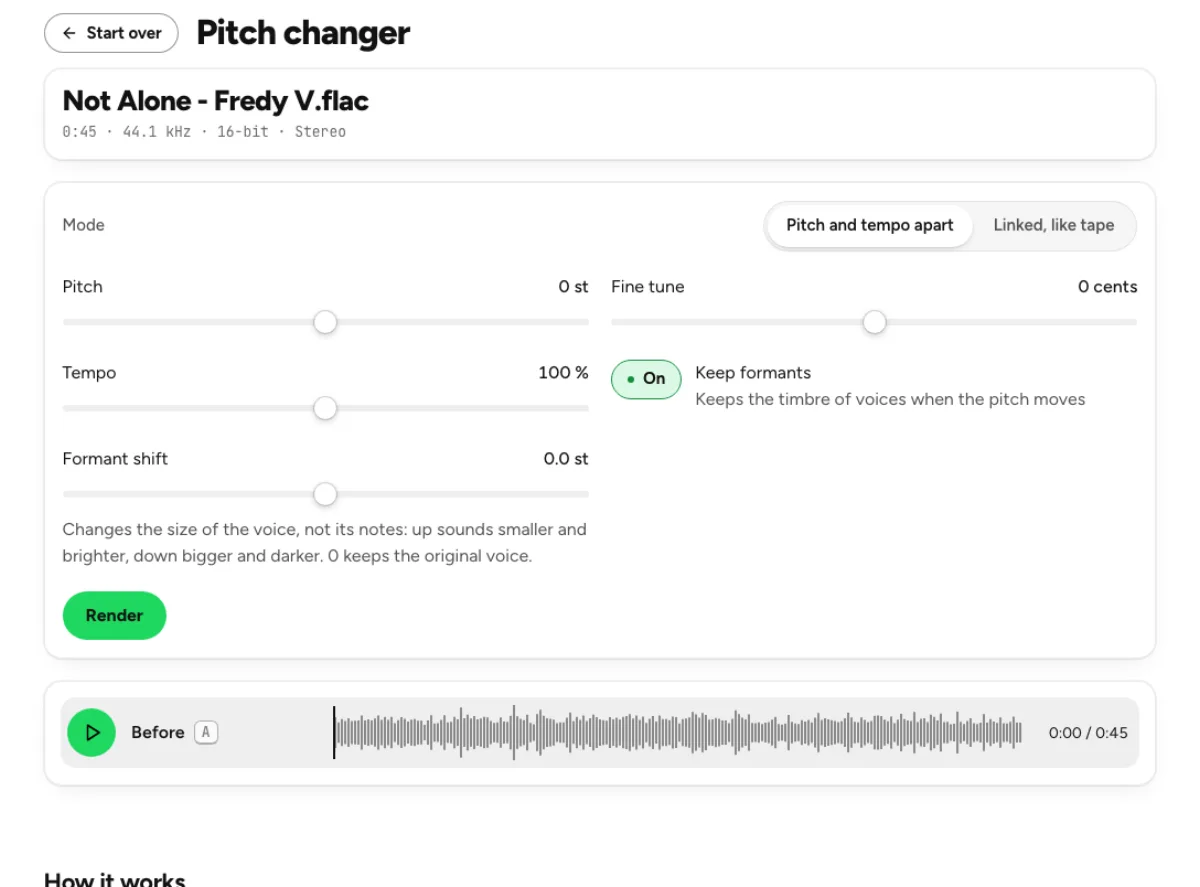
Drop the file on the page, or click the button in the drop box to choose it. No file to hand? Try it on a demo loads a short excerpt. When it is ready you see the file's length, sample rate and bit depth, the controls, and a Before row to play the original.
Your clickChange the pitch
Step 2: Leave Pitch at 0 and set the Tempo
Keep Mode on Pitch and tempo apart, the default, and leave Pitch at 0 st. Drag Tempo down: 75 % is three-quarter speed, 50 % is half. Keyboard arrows move it 1 % at a time.
You do not have to press anything else. About half a second after you let go, the page renders the new version by itself and shows the phase and the percentage, with Cancel. Render does it at once. Leave Keep formants on; it keeps a voice's timbre when the pitch moves.
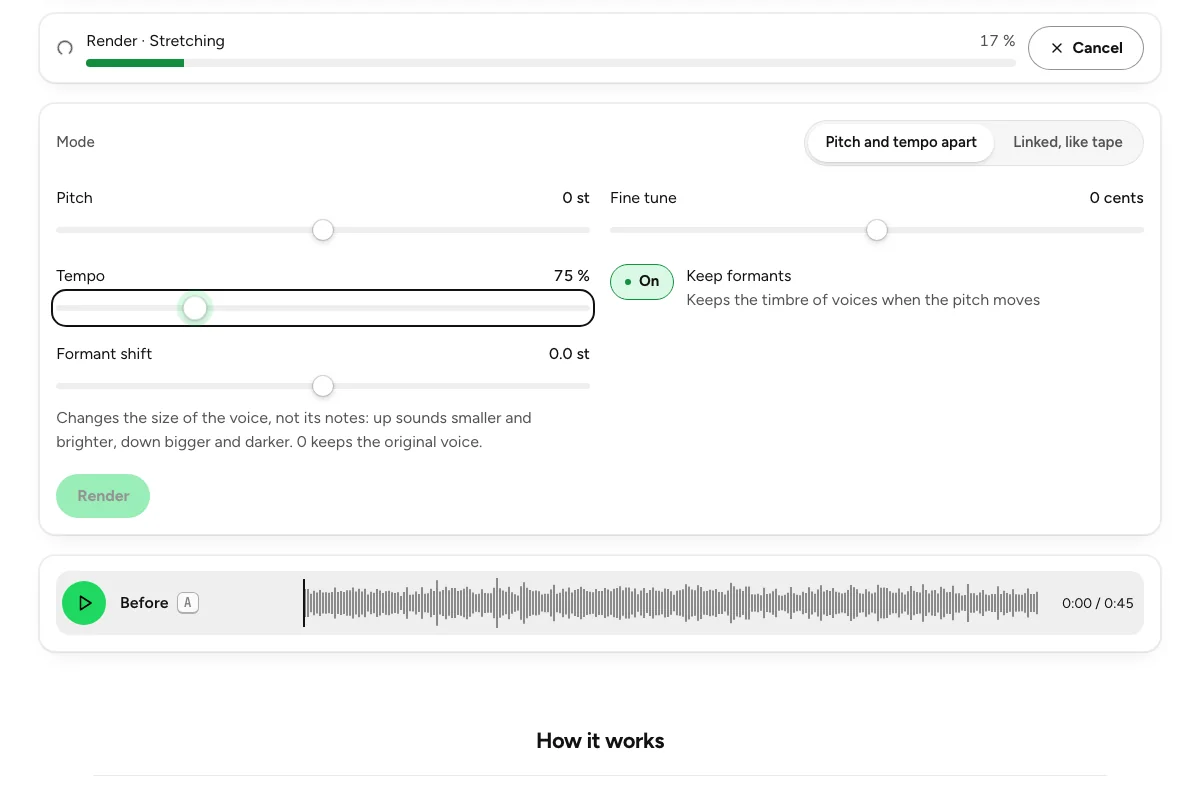
Your clickSet Tempo
Step 3: Compare Before and After
Play After, then Before; press A and B to switch. Both play at matched level, so you hear the tempo and not a change in volume. Under the export, Length shows the new duration: a 45-second excerpt at 75 % runs 1:00. Integrated loudness and true peak are measured on the result.
Not slow enough, or too slow? Move Tempo again; the After row is rendered again by itself.
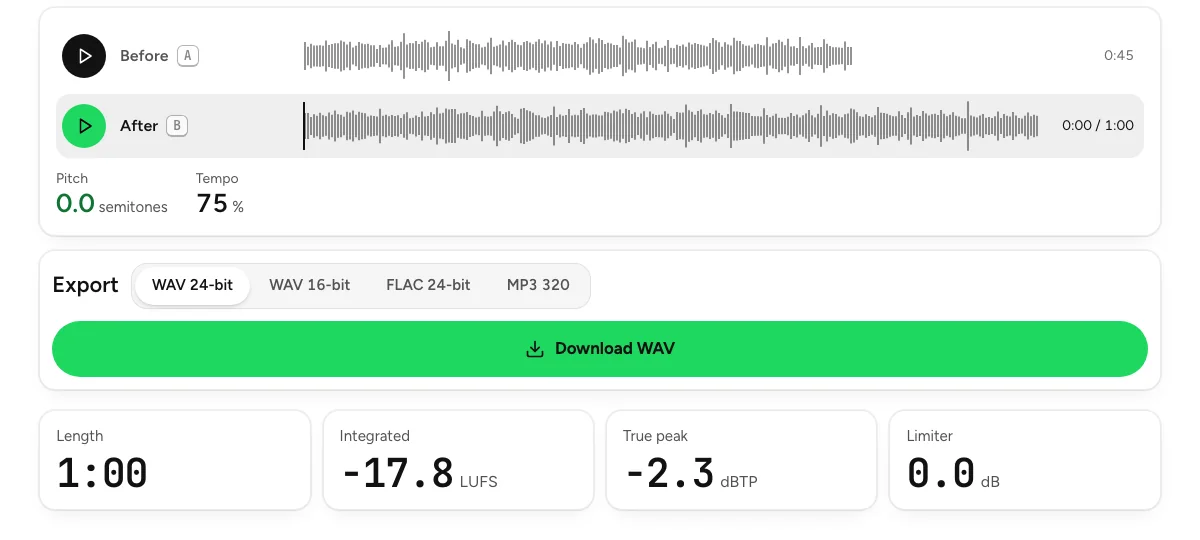
Your clickPlay After
Step 4: Export the slowed version
Pick WAV 24-bit, WAV 16-bit, FLAC 24-bit or MP3 320, then download. The result is brought back to the original's integrated loudness and its peaks are limited to −1 dBTP before export, so the slower file is as loud as the original and does not clip.
Your clickDownload WAV
How far can you stretch it?
Down to 50 % of the original tempo, in the original key. At the other end, on a test tone, a 150 % tempo kept the pitch within 0.5 Hz and the onsets within 13 ms. The pitch works the same way: +12 semitones on a 440 Hz tone lands at 880.0 Hz with the length unchanged.
When you want the pitch to drop too
Sometimes the lower, slower sound is the point. Switch Mode to Linked, like tape: it resamples, so pitch follows tempo and slower is lower, like a slowed record. For the full slowed and reverb edit, the slowed + reverb page slows the song, lets the pitch follow, and adds a reverb with mix, room size and decay.
Slowed + reverb
The slowed and reverb edit: slow it down, the pitch follows, then set the reverb mix, room size and decay.
Change the key instead
The same page moves the key without the tempo: leave Tempo at 100 % and move Pitch by up to 12 semitones either way, with Fine tune for ±50 cents when a record sits between semitones. A singer moving a backing track down two semitones keeps the arrangement's speed exactly.
Last updated Nov 4, 2026. The figures here come from our own measurements, written up on each tool's page. When a tool changes, this page is checked again.