
Synthesizer remover
Not offered yet: on real songs the model we measured took out little or none of the synth.
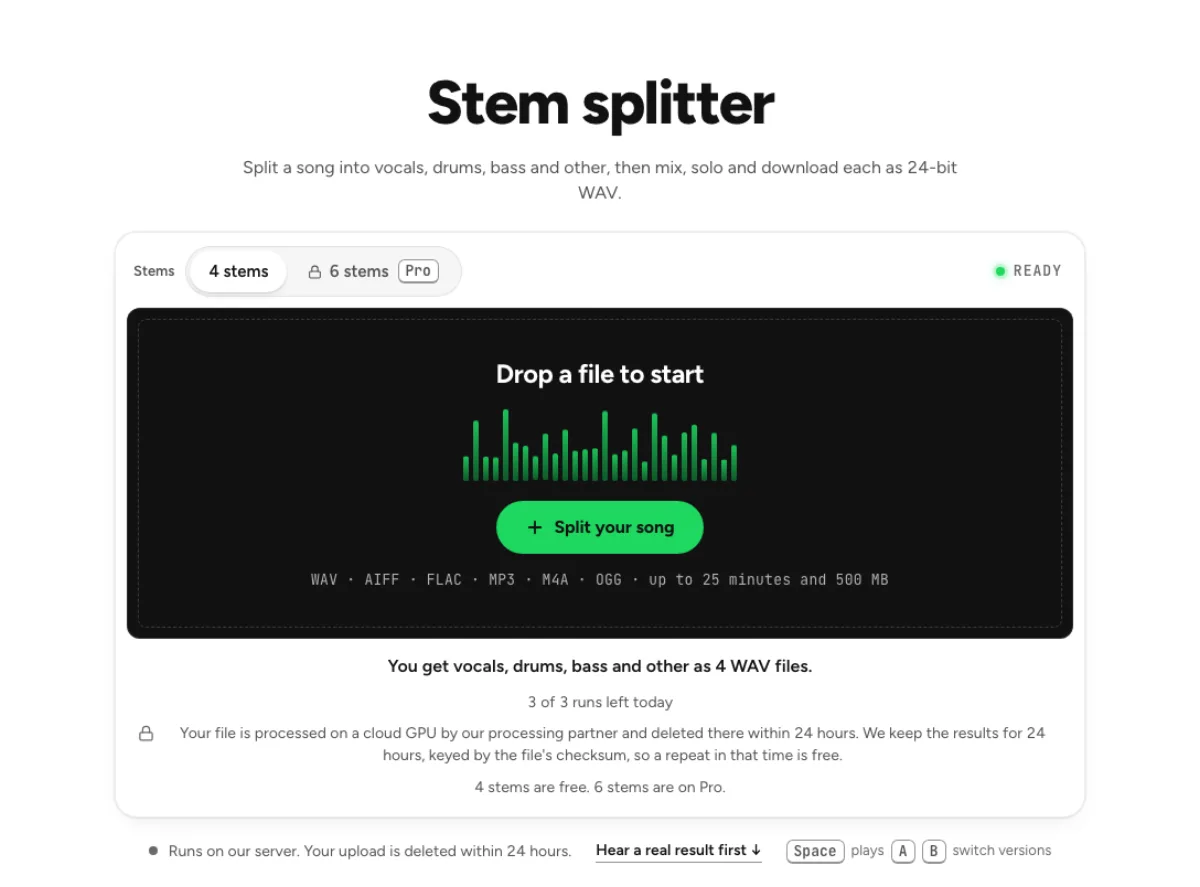
- Runs on our server. Your upload is deleted within 24 hours.
- Space plays AB switch versions
We measured a synth model on four songs with known parts. On the two real songs it took out 1.4 dB of the synth on one and nothing on the other; it only worked on two test mixes we built. On an orchestra with no synth at all it took out some of the orchestra. A remover that misses the synth, or takes the wrong thing, is not ready. In the stem splitter, synths land in the Other stem.
There is no upload box here on purpose. The page goes live when a model with a clear licence exists.
Why synthesizer removal is not offered yet
This page does not run a synthesizer-removal job
The dedicated synthesizer remover is unavailable. In the real-song checks recorded for this feature, the measured model removed little or none of the intended synth. The page therefore does not accept an upload for this operation or claim to deliver a reliable synth-free mix. An availability label is not an invitation to pay for a hidden working version. Use the active alternatives when their actual outputs fit your task, and judge those outputs against their stated separation targets.

A synthesizer is a broad family of sounds
A synth can resemble a bass, a sustained string, a lead instrument, percussion or a layer blended with another part. That variety makes the request different from asking a model for one of its trained broad stem categories. Removing a sound simply because it occupies a frequency band can also damage vocals, guitars or drums sharing that band. This explains why a plausible demo on an isolated tone would not establish reliable synthesizer removal from a finished song.

Current alternatives have narrower promises
The stem splitter and pro separation tools offer their own defined output choices. They can help inspect a song’s broad components, but a general instruments or other stem may still contain the synth you hoped to remove, alongside several wanted sounds. Do not treat a successful broad split as proof of a clean synthesizer stem. Where source sessions or original stems are available, muting the actual synth track remains the most direct way to make a version without it.
Which workflow fits the recording you have
Producers with the original project
Open the source session and identify the synth tracks, layers and effects sends that belong to the part. A pad may be spread across several channels, and reverberation from it may remain on a shared return after the dry track is muted. Make a new bounce after checking those routes and retain the original mix. This is a session-editing workflow, not an operation available through this unavailable remover page. It offers more control because the instrument’s identity is already known in the project.
Remixers working from a stereo master
Decide whether you need the synth isolated, reduced or absent from the remaining accompaniment. Those are different requests. Try an active stem tool only when its defined categories can help, then listen to each resulting component. A synth may be distributed across bass and other outputs or blended with a vocal effect. Keep the original and avoid promising a collaborator a synth-free instrumental until you have checked the actual result. Some material will require source stems rather than another separation attempt.

Players and learners examining an arrangement
If your goal is hearing a melody more clearly, total synth removal may be unnecessary. A vocal-and-instrumental split, a relevant instrument stem or a carefully slowed practice excerpt may answer the musical question. The current tools can support those separate tasks when the recording suits them. A frequency cut can sometimes reduce a prominent register, but it affects overlapping music too. Choose the least destructive working method that reveals the passage instead of assuming every arrangement needs a dedicated synth-isolation model.
How to work on synth-heavy material today
Define which part is causing the problem
Listen to the source and describe the synth’s role: bass pulse, chord pad, arpeggio, lead melody or background texture. Note where it enters and which other sounds overlap it. That makes it easier to judge whether an available broad stem could help. There is no upload step for synthesizer removal on this page. If you have the original multitrack project, use it first; a combined master contains less separable information than the already identified tracks that created it.
Choose an available operation by its real outputs
Open the stem splitter or pro separation page and read its output choices, upload limits and current quota information. These are separate active tools with their own processing behavior. Choose one only if the available stems are useful even when the synth is not isolated. Listen to the built-in examples where relevant, remembering that examples do not guarantee your song’s result. Do not infer a synth-removal capability from the general word separation or from an unrelated instrument label.
Inspect both the wanted material and the leftovers
When using an active alternative, audition every useful output across the sections containing the synth. Listen for the wanted voice or instrument losing detail as well as for synth leakage. A clean-sounding excerpt can hide failures in a later chorus. If the result does not meet the task, keep the source and request the original stems or revise the arrangement goal. The unavailable feature remains unavailable; the alternative workflow should be evaluated on what it actually produced, not renamed as a working synth remover.
Synth removal availability and alternatives
Can I remove a synthesizer on this page now?
No. The dedicated operation is not available, and this page does not provide a synthesizer-removal upload or result. The recorded real-song evaluation did not support offering it as a reliable tool. Use the active related tools only for their stated outputs, or work from the original session where the actual synth tracks can be identified and muted.
Why is the feature listed if it is unavailable?
The page explains the current status and gives a useful path for people searching for this specific task. It should make the limitation clear before you spend time preparing a file. The existence of a public page does not mean a processing model is ready. Read the availability statement and follow only alternatives whose actual capabilities suit the recording.
Will the stem splitter produce a clean synth stem?
It offers its documented broad stems rather than a guaranteed dedicated synthesizer output. A synth can remain with other instruments or appear across several categories depending on its sound. Listen to the results before using them. If you need the exact original synth part with no other material, source stems from the session are more appropriate than assuming a broad split can provide it.
Can an equalizer remove the synth instead?
An equalizer changes frequency regions in the entire signal. It can reduce some energy from a synth, but vocals, instruments and drums in the same region change too. That makes EQ a tonal compromise rather than source identification. Use it for a limited listening adjustment when acceptable, not as a promise of an otherwise unchanged synth-free mix.
Is there a paid version that unlocks this operation?
The page’s unavailable status is not presented as a plan restriction. Buying a plan does not make an unsupported synthesizer-removal operation available here. Active cloud tools have their own plan and quota information, which you should read on those pages. Choose them for what they currently do, not as an implied route to an unlisted synth-specific model.
What is the best option when I have the multitrack session?
Mute or edit the identified synth tracks in that project, then check layered parts and effects returns before bouncing a new version. A synth may feed a shared reverb or be doubled by another instrument. Source-session control avoids asking a separation model to infer an identity already known in the project. Keep a copy of the original mix and compare the new bounce.
Can I isolate a synth melody for learning?
An active broad stem split may make a melody easier to hear, but it does not guarantee isolation of that synth alone. A short excerpt, slower practice playback or an original instrument stem may be enough for transcription. Compare the musical phrase by ear and treat any generated stem as a listening aid with possible artifacts rather than an exact reconstruction of the source track.
When will dedicated synthesizer removal be available?
No release date is promised on this page. Availability should follow evidence that the operation works usefully on real recordings, with clear limitations and examples, rather than a speculative date. Until the status changes, plan around the tools that are already active or obtain the original stems. Do not prepare a time-critical delivery on the assumption that this unavailable feature will appear first.